Monday, March 21, 2016

Family Portrait Photography Tips & Tricks



 Family Portrait Photography Tips & Tricks


Family portrait photographer Me Ra Koh didn’t pick up a camera until she was 30 years old. After taking a film photography course to improve her photography of her two year-old daughter, she discovered her passion for the craft and started her own business. Within four years, she was charging $15,000 to shoot high end weddings, and eventually, both Disney and Sony began sponsoring her.
Luckily for us, this master storyteller spoke at a B&H photo seminar, where she shared some of her best tips and secrets to success for family portrait photography:
Here are 17 ways to take intimate and memorable family portraits, according to Me Ra Koh:

1. Close gaps between family members.

family portrait me ra koh
Since clients expect to take traditional group shots during family portrait sessions, Koh knocks these types of photos out right at the start of her photo shoots. However, since traditional family poses look awkward and contrived, Koh proactively makes certain to squeeze family members as closely together as possible. This increases the feeling of closeness in the images.
“When you’re taking a photo of a family, you always want to think about how to bring their bodies physically close together,” said Koh. “If there’s any gaps that we can see through them, then it doesn’t feel as intimate.”

2. Pose families according to their unique dynamics.

sibling children kid dynamics personality personalities
While taking those standard group shots, Koh also pays close attention to family dynamics—especially the relationships between the kids and family members’ differing personalities. With this wisdom, Koh is able to figure out how to strategically pose individuals to evoke photogenic expressions and interactions.
“Try to work with the energy of the kids’ personalities,” she said. “I would never have [an independent kid who doesn’t want to be touched] in the middle with a lot of physical squishiness around him  because that would frustrate him.”

3. Be ready to capture candid moments.

candid spontaneous moments funny sweet cute natural
Though it is important to provide clients with a number of “perfect” shots where everyone looks great and nothing feels out of place, one of Koh’s passions is capturing candid moments that reveal personalities and tell each family’s unique story.
“This was awesome because this is I think the reality of how a grandparent can feel,” said Koh, about the image above. “They may not expect me to shoot this, but this is definitely something I love way better than everyone looking great and perfect for the camera.”

4. Put Mom in her favorite outfit.

mom outfit clothing dress complementary matching beautiful confident mother
If you’re working as a portrait photographer of any kind, chances are excellent that, before every shoot, you’re going to get the same question: “What do I wear?” In the case of families, Koh always tells mothers to wear their favorite outfits and coordinate—not match—their kids’ and partners’ clothing accordingly.
“I tell the moms, ‘Wear something that you feel absolutely beautiful in,’ because that sets me up for success,” said Koh. “If Mom doesn’t look great in that photo, then that photo will never see the light of day.”

5. Get to know the family before taking any pictures.

season life bookworm books italy sisters
Before you ever pick up your camera, you should know the family well enough to have at least some small understanding of their story and their current season in life. You should know what certain family members like and don’t like and how the family likes to have fun together. This will vastly improve the intimacy and creativity of your work.
“Family portraits to me are really about telling the story of the season of life that [clients are] as a family,” said Koh. “Once you start to free yourself up to look for stories, then you start to set yourself up for success.”

6. Find the best light.
in home house tour inside get to know clients first
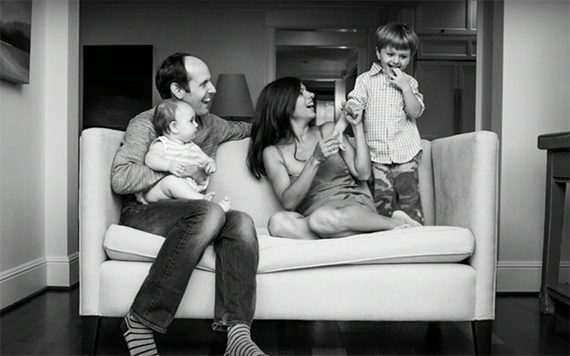
While you may usually meet families for photos in the park, chances are good that you’ll eventually end up with clients who want photos in their home. In such an instance, Koh would encourage you to meet the challenge head on—but only if you’re willing to ask for a home tour to find the right light and ask to move furniture and decorations to arrange your compositions artfully.
“Wherever the best light is is where I’m going to do most of the shoot,” said Koh. “I don’t use flash, I don’t set up lights, I never bring a background… I always am working with window light.

7. Use kids’ boredom to your advantage.
mom son baby boy kid little bored boredom snuggle cuddle hug embrace motherly
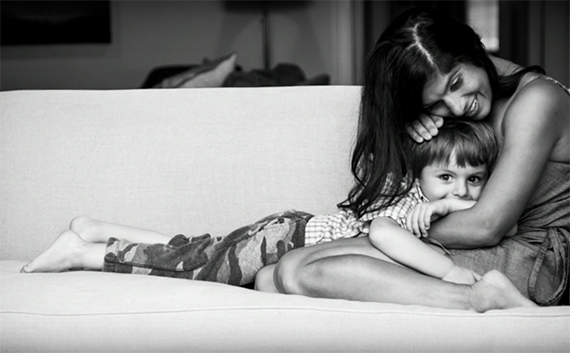
During longer shoots, the kids are going to get bored—it’s inevitable! So why not embrace that fact and pay attention to how each kid’s demeanor changes as boredom sets in? Some kids will stare down the camera, while others will become more cuddly, playful, or snarky. Find ways to incorporate these behaviors into your work!
“I love it when the kids get bored because all of a sudden they drop down into this quieter energy,” said Koh. “They start forgetting about me and they start wanting to gravitate toward Mom often and snuggle with Mom.”

8. Shoot in Live View to keep eye contact with kids.

find the best right light move furniture
Maintaining eye contact is incredibly important when working with children—especially those with autism. For this reason, Koh proudly shoots in Live View mode during the majority of her photo shoots.
“If they lose eye contact with me, it’s just over,” she said.

9. Shoot wide open.

proud pride textured background backdrop setting pool table baby mom model tattoos
Depth of field is one of your most important storytelling tools as a portrait photographer. For example: try positioning a child in front of his or her parents and then shooting wide open so that parents’ faces become blurry as they smile at their little one. This will communicate the pride and joy that the parents take in their kid, as well as the child’s growing independence!
“I’m often shooting wide open, at f/2.8 or lower,” said Koh. “I just love for everything to be buttery and blurry except for who the story is about.”

10. Scout for textured backgrounds.

wide aperture 2.8 1.8 50mm 35mm open blur creamy buttery background blurred out of focus in focus sharp
If you’re going to call yourself a professional photographer, you must be willing to put in some legwork to ensure that your photo shoots are successful. Sometimes, this will entail scouting locations out thoroughly before sessions and taking the time to predetermine interesting textured backdrops that you might use, such as brick, aluminum, fences, stucco, and colorful walls.
“When you’re shooting wide open, you can shoot just about anywhere,” said Koh, “But whenever I have a chance to work with backgrounds that have textures, I feel like that adds a different energy to the photos.”

11. Ask kids where they want to be in photos.

familyportraitsmerakoh-photo13
When Koh photographs families with two or more young children—especially a toddler and a baby—one of her favorite storytelling techniques is to ask kids how they want to be included in the photograph. This will speak volumes as to what stage that specific kid is in life and reveal the family’s overall dynamics.
“Give yourself the freedom to ask kids what they think,” said Koh. “That’s your holiday card… that is the season of this family and that is the magic of where they’re at right now in life.”

12. Shoot in continuous shooting or “burst” mode.

continuous shooting burst action pan mode
If you’re incorporating any action into the scene, or if kids or animals are especially wiggly, Koh recommends that you switch your camera into Continuous frame, or “burst,” shooting mode. By capturing three or four versions of every action-packed moment, you’re bound to get at least one shot where everything looks just right.

13. Fill your portfolio with the type of photos you want to be shooting.

familyportraitsmerakoh-photo15
Filling your website and online portfolio with accurate examples of your work will not only give your clients the right impression of your style, but it will help you to attract the right type of clients — ones whose values resonate with your own.

14. Allow clients to contribute ideas.

pinterest
Koh explains that, as she works with clients, she always makes sure to encourage them to participate in the creation process. Ask them if have any ideas or if they have seen any images on Pinterest that they would like to imitate. This not only builds trust with your client, but it also sets you up for success because they’ll likely buy prints of these shots.
“Whenever a client has an idea of what they want taken, I always love to do that for them,” said Koh. “I never want to say, ‘Oh, but that’s actually a really bad idea,’ because I don’t want them to think that their contribution is not valid.”

15. Add shadows by moving clients away from windows.

familyportraitsmerakoh-photo17
After shooting with bright light for many years, Koh now prefers to utilize shadows to infuse her photos with greater levels of emotion. The easiest way to find workable shadows is to find a good window, observe how far the light stretches onto the floor, and position a client just past the point where the light stops pooling.
“Shadows really define where the light is and illuminate the emotion in the moment,” said Koh. “If I have them turn to the side and get farther back where that light almost ends, now I’m going to have shadows and depth and that emotion is going to come out that much more.”

16. Incorporate backlight into your compositions.

familyportraitsmerakoh-photo18
Koh works backlight into her compositions whenever she can, especially if she’s working with clients who don’t naturally ooze emotion.
“If I have a family that doesn’t have a lot of emotion… [or] they’re not as outwardly affectionate with each other, backlight will make them seem like the most emotional, intimate family you’ve ever met.”

17. Stay personally inspired.
new zealand tree climbing dad brothers sons
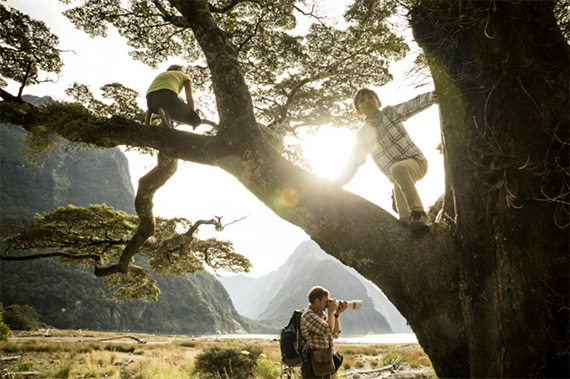
Finally, Koh reminds us of the importance of staying inspired in both professional and personal photography pursuits. Burnout is tough and working under that burden will most definitely affect the quality of your work. Find ways to keep yourself fresh and in love with your job.
“Any time you feel like you’re starting to get into a rut, it means that your creative spirit is wanting you to risk something or is wanting you to branch out in some new way,” said Koh. “[It’s] asking you for another challenge!”

For further training: Secrets of Successful Event Photography

Go to full article: Family Portrait Photography Tips & Tricks

What are your thoughts on this article? Join the discussion on Facebook

Article from: PictureCorrect


Tuesday, March 15, 2016

Walking Among the Bristlecone Pines

At this time when many of us are excited by the new camera announcements, I thought it will be intriguing to do a write up describing my first time shooting 35 mm black and white film. Last summer, I found some time to swing by the Ancient Bristlecone Pine Forest in White Mountains near Bishop, California. I knew that the timing of my trip will not coincide with the best lighting for photography, especially in color. So, I decided to photograph these ancient trees in B/W. Why B/W film? Well, I have always wanted to enjoy the aesthetics of it as well as I thought it will force me to think in terms of highlights, shadows and texture. All in all, a good learning experience.


Walking with the Ancients (2)

A Bristlecone Pine in the rugged White Mountains, near Bishop, CA

Since this was a side trip, I wanted to keep my equipment fairly simple and light. I chose my trusted Nikon FE together with Nikon 24mm f/2.8 AI and Nikon 75-150 f/3.5 E AI lenses. This trio can be acquired used in very good condition for about $ 250! Both these lenses are very sharp when stopped down to f/8 and hold reasonably well upto f/16 (they also make an excellent backpacking combo with Nikon D610 or D750). Also, the common 52 mm thread meant that I can share a polarizer and an orange filter between them. Orange filter? Now why is that needed?

Walking with the Ancients (6)

Texture of an ancient Bristlecone Pine

Walking with the Ancients (1)

Details of an ancient Bristlecone Pine bark

An orange filter as the name suggests allows orange-red wavelengths to pass and blocks violet-blue light. This darkens the blues and helps the clouds to stand out more in the sky. Moreover, the bristlecone pines have orange barks. These will be rendered as white (or comparatively brighter), which will increase contrast in the texture. It should be noted that a red filter will do the same and even more so. I chose an orange filter to play a little safe for it was the first time for me shooting B/W film with filters.

Walking with the Ancients (8)

Clouds frame the Bristlecone Pine, Discovery trail in White Mountains

Walking with the Ancients (4)

Clouds, shadows and an ancient Bristlecone Pine

Since, orange filters alter the luminosity selectively, which in turn may also modify the response of b/w film, there is a consensus among photographers that some exposure compensation is required. I spend some time reading about this and found a variety of recommendations- from +0.5 EV to +3 EV, which left me confused. In the end I decided to bracket exposures and draw a conclusion of my own. I found that about one-third to two-third of positive exposure compensation works well for an SLR camera that uses TTL metering. This is easily accomplished by setting the ISO (ASA) speed appropriately. For example, I was using Ilford FP4+, which has a box ISO speed of 125. In my Nikon FE, I set the ISO dial to 80, thus allowing +2/3 stop of exposure compensation. I chose ILFORD FP4+ because of its pleasing tonality and almost endless highlight headroom. This film takes overexposure with such an aplomb that with careful scanning one can recover highlight details from a scene overexposed by 2-3 stops (maybe more!).

Walking with the Ancients (9)

Pine in the rugged rocky terrain of the White Mountains. Sierra Nevada range is seen at a distance.

Walking with the Ancients (3)

Bristlecone Pine with Sierras in the background

At the Ancient Bristlecone Pine forest, I hiked the Discovery loop at the Schulman Grove. It is a one mile trail that saves the best for the end if hiked in a counter-clockwise fashion. I spent about two hours here, stopping several times, looking for compositions and making photos. The bristlecone pines are very photogenic and each tree has a character of its own. I recall myself being enthralled and completely absorbed on the trail. It is fascinating to imagine that several of these trees were already thousand(s) of years old when Jesus Christ was born.

Walking with the Ancients (5)

Tree waves and clouds, Schulman Grove, White Mountains, CA

Walking with the Ancients (10)

Trees and texture, Schulman Grove, White Mountains, CA

Fl

The film was developed at ILFORD LAB DIRECT and I scanned it using my Nikon Coolscan 5000 (the b/w mode works quite well). Since the digital ICE (scratch and dust removal) tool in the scanner is not suited for traditional B/W film, dust spots and scratches need to be removed manually, which adds to the scanning time and effort. I also used contrast curves and minor dodging and burning in Photoshop to reach these final selected images. I hope you enjoyed them it will be great to hear comments/feedback. In the end, I will share a photo of Tuolumne Meadows in Yosemite National Park that I clicked while driving to Bishop.

Walking with the Ancients (7)

Storm clouds over Tuolumne Meadows, Yosemite National Park, CA

The post Walking Among the Bristlecone Pines appeared first on Photography Life.

Photography Life

If you are interested in Digital Photography, check it out here for more details.


from SLR Camera http://ift.tt/1V8tqZU

Sunday, March 13, 2016

Aesthetic and Minimalist Photographs of Alsacian Architecture

Lorincz Jonatan, a freelance editor from Hungary, worked last summer in Germany in a car factory, and spent time taking photos in Alsace region : in France in Strasbourg, and mostly in Germany, in Karlsruhe and Freiburg. Growing up in a post-communist Eastern European country made him appreciate simple structures and clear colors. This collection of pictures is called Perceive, because it’s simply his vision and his perception of things.


Read more

Source:  http://ift.tt/1SKxZcu


from SLR Camera http://ift.tt/1P6Kb0f

Why People Never Smiled in Old Photos


Video: Why People Never Smiled in Old Photos


Here’s a 3-minute video that explores why you almost never see portraits of smiling people from the early days of photography.
Vox boils everything down to a few main points:
1. Early Camera Technology
The super long exposure times in the early days made smiling hard. Keeping the same pose and smile for minutes at a time would be a challenge in endurance.
2. Influence from Paintings
Photography replaced the painted portrait when technology advanced, but many people still held onto the idea that a portrait is a super special “frozen” representation of a person.
3. Passage to Immortality
Since portraits were used as a way to “preserve” the living for future generations to look back on, they were approached with utmost seriousness.
4. The Culture of the Day
While it’s tough to prove, it’s believed that during the Victorian and Edwardian eras, smiling was looked down upon and considered to be something reserved for “idiots.”
P.S. You may remember that we shared an explanation of this same subject back in September 2013.
(via Vox via Imaging Resource)


Read more here:


Thursday, March 10, 2016

Canon announces budget-friendly EOS Rebel T6 (1300D)

 
Canon has announced its latest entry-level DSLR, the Rebel T6, which is known as the EOS 1300D in most regions. The T6 is a relatively minor update to the Rebel T5 (EOS 1200D) and adds a faster Digic 4+ processor, higher resolution LCD, ‘white priority’ WB mode (which produces more neutral color in tungsten lighting), a food scene mode and Wi-Fi with NFC.
The T6 retains the same 18MP APS-C CMOS sensor, 9-point AF system, Full HD video capture and numerous scene and creative modes as its predecessor.

The Rebel T6 will ship in the US next month at a price of $ 549, which includes the 18-55mm F3.5-5.6 IS II lens.


Press release:

Share moments on-the-go with the new Canon EOS Rebel T6 DSLR Camera

Become the next Internet sensation with built-in Wi-Fi®and NFC connectivity*

MELVILLE, N.Y., March 10, 2016 – Canon U.S.A., Inc., a leader in digital imaging solutions, today announced its newest entry-level DSLR camera, the EOS Rebel T6. The Canon EOS Rebel T6 camera offers easy sharing of high quality photos and videos to popular social media sites via compatible smartphones and other mobile devices* as well as Canon’s Connect Station CS100.

“Smartphone users passionate about photography and ready to take that next step to creating their best images and videos ever will appreciate the ease-of-use and affordability of the new EOS Rebel T6 camera,” said Yuichi Ishizuka, president and COO, Canon U.S.A., Inc. “With the latest addition of the EOS Rebel T6 camera, the Canon EOS Rebel series continues to be one of the most popular DSLR camera lines on the market.”

The Canon EOS Rebel T6 DSLR camera offers a wide range of features including:

  • 18.0 Megapixel Canon CMOS (APS-C) image sensor and high-performance DIGIC 4+ Image Processor for excellent image quality and speedy operation.
  • ISO 100–6400 (expandable to H: 12800) for shooting from bright light to low light.
  • Built-in Wi-Fi® and NFC connectivity* for easy sharing to smart devices, social media sites and the Canon Connect Station CS100 device.
  • 9‐point AF system (including one center cross‐type AF point) and AI Servo AF provide impressive autofocus performance with accurate results.
  • High-performance Optical Viewfinder helps facilitate quick and accurate focusing by firmly framing and capturing the subject at hand.
  • Large, 3.0-inch LCD monitor with 920,000 dots for easy viewing and reviewing.
  • Full HD video mode for high quality, easy-to-use video capture.

Missed Photo Ops a Thing of the Past

The Canon EOS Rebel T6 camera provides a wide ISO range of 100-6400 (expandable to ISO 12800), making it ideal for shooting both still and moving subjects in a wide variety of lighting conditions ranging from low light to bright sunny days. In addition, the camera is capable of shooting high-resolution 18 megapixel still photos continuously up-to-three frames per second (fps), with predictive autofocus to help keep every image sharp and clear, even with moving subjects.

The Scene Intelligent Auto mode in the Canon  EOS Rebel T6 camera analyzes the image, accounting for faces, colors, brightness, moving objects, contrast and whether the camera is handheld or on a tripod. Scene Intelligent Auto mode then chooses the exposure and enhancements that can bring out the beauty in virtually any scene or situation. Simplifying DSLR image capture, Scene Intelligent Auto mode lets you concentrate on composing images without puzzling over settings.

Another exciting addition to the Canon EOS Rebel T6 camera is a new ‘Food Mode’ on the mode dial for the foodie or blogger to easily capture stunning images of the food they love. This mode enhances the color and brightness of the food images while at the same time making the images ready to share. Other fully automatic exposure modes include portrait, night portrait, landscape, sports, and close-up. Additionally, the easy-to-use Full HD video mode captures sharp, high-definition video up to 1080p resolution with the choice of automatic or manual focusing. Creative filters such as Fisheye, Toy Camera, Miniature, and Soft Focus give users additional ways to create fun and imaginative images to enjoy, print and share.  The camera’s new “white priority” Auto White Balance setting enables users to create images with a more neutral tone when shooting under incandescent lighting. In addition to all the automatic modes, the new Canon EOS Rebel T6 camera provides complete manual exposure and focus controls plus RAW image output for advanced amateur photographers and photography students.

The Canon EOS Rebel T6 camera is compatible with the entire Canon EF and EF-S lens system including over 60 current models enabling users to capture their world in different perspectives ranging from Fisheye to Super-Telephoto. Scheduled for availability in April 2016, the estimated retail price of the Canon EOS Rebel T6 camera will be $ 549.99** when bundled with the EF-S 18-55mm f/3.5-5.6 IS II standard zoom lens.

* Compatible with iOS® versions 7.1/8.4/9.0, AndroidTM smartphone and tablet versions 4.0/4.1/4.2/4.3/4.4/5.0/5.1.  Data charges may apply with the download of the free Canon Camera Connect app. This app helps enable you to upload images to social media services. Please note that image files may contain personally identifiable information that may implicate privacy laws. Canon disclaims and has no responsibility for your use of such images. Canon does not obtain, collect or use such images or any information included in such images through this app.

**Availability, prices, and specifications are subject to change without notice. Actual prices are set by individual dealers and may vary.

Canon EOS Rebel T6 / EOS 1300D specifications

Price
MSRP $ 549.99 (with 18-55mm F3.5-5.6 IS II lens)
Body type
Body type Compact SLR
Body material Composite
Sensor
Max resolution 5184 x 3456
Other resolutions 3456 x 2304, 2592 x 1728, 1920 x 1080, 720 x 480
Image ratio w:h 1:1, 4:3, 3:2, 16:9
Effective pixels 18 megapixels
Sensor photo detectors 19 megapixels
Sensor size APS-C (22.3 x 14.9 mm)
Sensor type CMOS
Processor Digic 4+
Color space sRGB, AdobeRGB
Color filter array Primary color filter
Image
ISO Auto, ISO 100-6400, expandable to 12800
Boosted ISO (maximum) 12800
White balance presets 6
Custom white balance Yes
Image stabilization No
Uncompressed format RAW
JPEG quality levels Fine, Normal
File format
  • JPEG
  • RAW (Canon CR2, 14-bit)
Optics & Focus
Autofocus
  • Contrast Detect (sensor)
  • Phase Detect
  • Multi-area
  • Center
  • Selective single-point
  • Tracking
  • Single
  • Continuous
  • Face Detection
  • Live View
Autofocus assist lamp Yes (flash)
Digital zoom No
Manual focus Yes
Number of focus points 9
Lens mount Canon EF/EF-S
Focal length multiplier 1.6×
Screen / viewfinder
Articulated LCD Fixed
Screen size 3
Screen dots 920,000
Touch screen No
Screen type TFT LCD
Live view Yes
Viewfinder type Optical (pentamirror)
Viewfinder coverage 95%
Viewfinder magnification 0.8×
Photography features
Minimum shutter speed 30 sec
Maximum shutter speed 1/4000 sec
Exposure modes
  • Scene Intelligent Auto
  • Program
  • Shutter Priority
  • Aperture Priority
  • Manual
Scene modes
  • Landscape
  • Close-up
  • Sports
  • Food
  • Night Portrait
Built-in flash Yes (Pop-up)
Flash range 9.20 m (at ISO 100)
External flash Yes (via hot shoe)
Flash modes Auto, On, Off, Red-eye
Flash X sync speed 1/200 sec
Drive modes
  • Single
  • Continuous
  • Self-timer
  • Continuous w/self-timer
Continuous drive 3.0 fps
Self-timer Yes (2 or 10 sec)
Metering modes
  • Multi
  • Center-weighted
  • Partial
Exposure compensation ±5 (at 1/3 EV, 1/2 EV steps)
AE Bracketing ±2 (3 frames at 1/3 EV, 1/2 EV steps)
WB Bracketing Yes
Videography features
Resolutions 1920 x 1080 (30p, 24p), 1280 x 720 (60p), 640 x 480 (30p)
Format MPEG-4, H.264
Microphone Mono
Speaker Mono
Storage
Storage types SD/SDHC/SDXC card
Connectivity
USB USB 2.0 (480 Mbit/sec)
HDMI Yes (mini-HDMI)
Microphone port No
Headphone port No
Wireless Built-In
Wireless notes 802.11b/g/n with NFC
Remote control Yes (wired or wireless)
Physical
Environmentally sealed No
Battery Battery Pack
Battery description Lithium-Ion LP-E10 rechargeable battery & charger
Battery Life (CIPA) 500
Weight (inc. batteries) 485 g (1.07 lb / 17.11 oz)
Dimensions 129 x 101 x 78 mm (5.08 x 3.98 x 3.07)
Other features
Orientation sensor Yes
GPS None

Articles: Digital Photography Review (dpreview.com)

If you are interested in Digital Camera, check it out here for more details.


from SLR Camera http://ift.tt/1pzhWTk

The Importance of Constructive Feedback in Photography

Most of us have received critiques of our work at some point of our life. Some of the most subjective feedback is that directed at works of art. Photography is no exception.

With a lot of people picking up photography as a hobby, it’s no wonder that a lot of photography related forums are created with the purpose of sharing. And one of the popular subjects of these groups is critique, where members get to give “constructive” comments with the hope that it will help the image maker. The reverse is also true where a photographer posts his best shot and hopes to get constructive and helpful criticism in order to learn from the more experienced photographers.

american beach photo

Photo by Kim Seng.

When I took a course on image analysis with the Photographic Society of America (PSA), when I first started photography, the most important aspect I learned about giving constructive feedback is to put it forth as my own point of view.

Why is this “own point of view” so important?

Photography is so subjective that an image can gather equal amount of “likes” and “dislikes” at the same time. My tutor told me that it is subjective to the point of being ridiculous. Each and every one of us perceives beauty in our own way. Not just beauty, but almost everything in life, right? Some of us like eating steak, while some would rather stay away from meat. Some of us like to remain single, while some would rather marry and have 10 children.

That being said, the image maker, too, perceives beauty differently from the one critiquing the work. To the one posting the image, it might be his best shot and he thinks of it as being perfect. I’ve been there when I started photography. I thought what I’d shot was very good. Boy was I wrong. If I were to look back at my very first batch of photographs, I would be appalled and would give myself the harshest of critiques. But hey, we were all once amateurs. And everyone is learning all the time and wants to improve. So the main thing is not to belittle anybody, because we were most likely in their shoes at some point.

asian photography

Photo by Sakhar Nair; ISO 400, f/11, 1/1600 exposure.

So, if we don’t have the “eyes” now to critique and comment on our current work, what better way than to ask those who have been there done that. A word of caution: when you put your work out there in the open, be prepared and open minded to receive comments and criticism from those who have not been there done that.

Sometimes, you can get ideas spinning off from even those who are very new to the art of photography.

Back to the subject of “own point of view,” it’s imperative that we start off our critiques with preambles. Not those legal mumbo-jumbo kind of preambles, but something as simple as, “In my opinion…” This is to tell the reader that whatever is going to be said is purely your own opinion. It’s nothing personal.

Avoid Rules

What I’ve learned from PSA is to look at different aspects of photography when giving criticism and comments. And also avoid rules like the rule of thirds. Stay away from these rules of photography when giving comments, because they’re not prerequisites when making a photo. Nothing is ever fixed in the world of art. Why should it be? We would live in a world of zero creativity if everything was so rigid. So stay away from giving comments like, “It would be better if you had used the rule of thirds to compose this image.”

Oh yeah, and stay away from, “It would be better… ” and the super imposing, “If I were you…”

street photography

Photo by Adrian Cabrero; ISO 100, f/2, 1/2000 exposure.

What to Look for in a Photo

What are the aspects to look for? Here are some…

  • Creativity
  • Originality
  • Noise and/or Grain
  • Composition
  • Line
  • Eye Movement
  • Lighting
  • Focus, depth of field
  • Exposure
  • Dimension
  • Perspective
  • Tonal Range
  • Color
  • Impact
  • Balance

During the course, I was asked to comment on one of Henri Cartier-Bresson’s most revered images. I didn’t know this person or his work at that time. So I just gave my comments. Luckily for me, I started off the critique with, “I think… “, “In my opinion… “, and “To me… ” Only when my tutor told me that prints of the image are being sold at galleries for $ 10,000 each, and that it is okay to comment as long as it is our opinion, did I begin to reflect upon the fact that art is so subjective.

In essence, write your comments with the preamble, be nice with your words, and never be a jerk.

Another note in “courteous” critiquing would be to separate our good comments and suggestions. Try to put across all the good points first, then give your suggestions. Do not say something like, “I personally feel that the image is well done, but…”

It’s the BUT that is the pain in the BUTT.

nighttime cityscape

Photo by Flickr user Roger; ISO 1600, f/4.5, 0.4-second exposure.

Say your suggestions separately, so that the image maker can keep all the positive comments and then learn from the critique.

And last but not least, although sometimes it’s better to keep quiet if what we are going to say could potentially offend someone, it’s also important to note that constructive criticism can teach us a thing or two about our own work. Most of the time saying what we already know reinforces our knowledge and can open doors to new knowledge. Do it with tact and humility.

Someone once said that we don’t live long enough to be anything but amateurs.

So when putting across what you think, say it like you know it, but make it sound like you know nothing.

Good luck!

About the Author:
Fauzi Anuar (http://ift.tt/1TuLuOv) is a qualified master photographer (AMPA) specialising in portraiture, interiors and food.


Go to full article: The Importance of Constructive Feedback in Photography

What are your thoughts on this article? Join the discussion on Facebook

Article from: PictureCorrect

PictureCorrect


If you are interested in SLR Camera, check it out here for more details.


from SLR Camera http://ift.tt/1R9ec7j

Tuesday, March 8, 2016

Inside My Camera Bag & More. All Kit for Landscape, Travel & Outdoor Photography

Inside My Camera Bag & More. All Kit for Landscape, Travel & Outdoor Photography (Video)

by Thomas Heaton


This video has been requested a number of times, so I finally got my act together to create a ‘What’s in my bag’ video, but I took it a little further…


from SLR Camera http://ift.tt/1SwljWl

Saturday, January 23, 2016

Multifunctional DSLR SLR Shockproof Waterproof Camera Backpack Rucksack Travel Bag For Canon EOS Nikon Sony

aeProduct.getSubject()

Multifunctional DSLR SLR Shockproof Waterproof Camera Backpack Rucksack Travel Bag For Canon EOS Nikon Sony


Features

A perfect combination for photo gear, it was designed specifically for digital photographers. Photojournalists and location photographers will find it a great travel companion. The backpack’s reinforced construction, shock-absorbing closed-cell foam padding and tough.

Movable padded dividers allow for optimal storage, adjustable to fit most of DSLR bodies, lens and additional small accessories.

Fabric covered foam throughout gives extra protection for your camera and equipment.

Adjustable side straps on the left and right side are able to carry tripod, umbrella or other bulky accessories.

Material:High quality 600D Nylon

Color:black

Outside Size:47cm(18.5″)x32cm(12.5″)x17cm(6.6″)
Upside pocket:28cm(11″)x27cm(10.6″)x14cm(5.5″)
Downside pocket:28cm(11″)x17cm(6.7″)x15cm(5.9″)


aeProduct.getSubject()

aeProduct.getSubject()
Click here to Buy this Camera Bag.


from SLR Camera http://ift.tt/1S9vQG3

Lowepro Flipside 300 Digital SLR Photo Camera Bag professional DSLR Backpack with rain cover for CANON and Nikon

Camera case, camera bag

Lowepro Flipside 300 Digital SLR Photo Camera Bag professional DSLR Backpack with rain cover for CANON and Nikon

 camera case


from SLR Camera http://ift.tt/1NpxAEx

Friday, January 22, 2016

Camera Case Bag for DSLR NIKON D4 D800 D7000 D5100 D5000 D3200 D3100 D3000 D80

Camera Case Bag for DSLR NIKON D4 D800 D7000 D5100 D5000 D3200 D3100 D3000 D80

Feature:

  • 100% brand new and high quality .

  • Quantity: 1

  • This padded bag is a great way to protect your Digital DSLR from accidental damage and scratches with its tough and durable foam exterior and its padded anti-shock interior.

  • This bag is universally designed to fit almost all digital cameras on the market. You will find space for accessories along with your memory cards and cables etc……

  • Protects the DSLR from scratches and dust

  • Soft Carrying case for DSLR

  • New design id featuring design with black trim

  • Increased interior capacity

  • Improved access to side pockets

  • Stain resistant Nylon

  • Package style: Polyethylene bag with Hang Tag

Specification:

  • Material: Nylon

  • Color: as the picture show

  • Dimensions (Approx.) : W: 170mm x H: 200mm x D: 110mm

  • Compatible for Nikon D3, D3x, D40, D40x, D50, D60, D70, D70S, D80, D90, D100, D200, D300, D700, D3000, D300S, D5000, and many more.

  • Note: Please measure your camera to make sure the size of Camera Case fit your camera before bidding,thanks a lot. This bag is not original

Package Content:

  • 1x DSLR Digital Camera Bag

  • 1x Shoulder


from SLR Camera http://ift.tt/1Qjb0lJ

Sunday, December 27, 2015

Sony Alpha A7S Mirrorless Digital SLR Camera 4K Wi-Fi Body +1 Year Warranty. NEW

Sony Alpha A7S Mirrorless Digital SLR Camera 4K Wi-Fi Body

ITEM DETAILS AND DESCRIPTIONS – PKG #8297

Sony Alpha a7s Mirrorless Digital Camera

Sony Alpha a7s Mirrorless Digital Camera

The Sony Alpha a7S Mirrorless Digital Camera features a full-frame 12.2MP Exmor CMOS sensor and BIONZ X image processor to enable notable video and still image quality with an expansive dynamic range, low noise, and extended sensitivity to ISO 409600. At the sensor level, this full-frame sensor features a unique on-chip gapless lens design, which incorporates small lenses between neighboring pixels in order to increase light-gathering efficiency and promote greater image quality across the entirety of the sensor plane. The sensor and processor combination also avails a wealth of speed throughout the camera system, including a top continuous shooting rate of 5 fps, support for 4K video recording, and a fast 25-point contrast-detection AF system with sensitivity to -4 EV.

* 12.2MP Full-Frame Exmor CMOS Sensor
* BIONZ X Image Processor
* Gapless On-Chip Lens Design
* 3.0″ 921.6k-Dot Tilting LCD Monitor
* XGA 2.36M-Dot OLED Electronic Viewfinder
* Full HD Recording in XAVC S
* 4:2:2 UHD 4K Output via HDMI
* Full Pixel Read-Out, S-Log2 Gamma
* Expandable Sensitivity: ISO 50-409600
* Fast Intelligent 25-Point AF System

In The Box:

* Lithium-Ion Rechargeable Battery
* Battery Charger (Black)
* AC Adapter
* Micro USB Cable
* Body Cap
* Shoulder Strap
* Cable Protector


Visit http://slrcamera.org/ for more SLR Cameras.


from SLR Camera http://ift.tt/1VlbQA6

Panasonic Lumix DMC-GH4 Mirrorless Digital Camera Body Black – DMC-GH4KBODY

Panasonic Lumix DMC-GH4 Mirrorless Digital Camera Body Black – DMC-GH4KBODY 16.05 MP Digital Live MOS Sensor


Panasonic Lumix DMC-GH4 Mirrorless Digital Camera Body Black – DMC-GH4KBODY

  • 16.05 MP Digital Live MOS Sensor
  • DCI 4K 4096×2160 at 24p
  • UHD 4K 3840×2160 at 30p/24p
  • Full HD up to 60p
  • 3.0″ 1,036k-Dot OLED Touchscreen Monitor
  • 2,359K-Dot OLED Live View Finder
  • Support for 59.94p, 23.98p, 50p, & 24p
  • 4:2:2 8-Bit or 10-Bit HDMI Output
  • High-Speed 49-Point Autofocus
  • Magnesium Alloy, Weather-Sealed Body
  • Panasonic Lumix DMC-GH4 Mirrorless Micro Four Thirds Digital Camera (Body Only)
  • 7.2V 1860mAh Lithium-Ion Battery Pack
  • Battery Charger
  • Body Cap
  • Hot Shoe Cover
  • K1HY08YY0031 USB Connection Cable
  • Shoulder Strap
  • DVD
  • PHOTOfunSTUDIO 9.5 PE (Windows)
  • SILKYPIX® Developer Studio 4.1 SE (Windows & Mac)
  • LoiLoScope (Trial Version, Windows)

Panasonic LUMIX GH4: Pro Photo Performance with a 4K Cinematic Experience
Key features include: Professional photo performance with exceptional moirĂ© suppression, 4K 24p cinematic video (4096×2160), plus 4K 3840×2160 30p/24p, High speed 49 area auto focusing in photo or video, perfect for hybrid photography, and Durable magnesium alloy body and exceptional shutter life meets the demands of professional use.

4K Video Recording with Simultaneous 8.8 MP Photo Capture
One of the most prominent features of Panasonic LUMIX GH4 is unlimited2 4K video recording in both Cinema 4K: 4096×2160 / 24 fps, and QFHD 4K: 3840×2160 / up to 30 fps in MOV/MP43. Print ready high resolution 8.8 megapixel still frames can be recorded during video capture, making future proofed Hybrid Photography a reality for any photographer. [4096×2160 – 8.847MP during Cine 4K]. The 16.05-megapixel Digital Live MOS Sensor achieves high quality, high sensitivity image recording with its quick response. Superior noise reduction allows for exposures up to 60 minutes long.

1. For a DSLM (Digital Single Lens Mirrorless) as of Feb 7, 2014. 2. Videos can be recorded up to 29 min 59 sec depending on the recording format and the camera’s sales area. 3. Use SDXC/SDHC Memory Cards compatible with UHS Speed Class 3 (U3) when using high bitrate video recording mode over 100 Mbps.

High Performance Professional Shutter
The shutter unit boasts professional graded added durability delivering approximately 200,000 release times**. You’ll be empowered with a maximum shutter speed of 1/8000 second, not only for capturing spur-of-the-moment fast moving subjects, but also using a high-speed lens with an open aperture even in outdoors to achieve the desired defocus effect. Both the built-in and external flash can be synchronized with a maximum 1/250 second shutter speed.

Splash Proof is a term used to describe an extra level of protection this camera offers against exposure to a minimal amount of moisture, water or dust. Splash Proof does not guarantee that damage will not occur if this camera is subjected to direct contact with water. In order to minimize the possibility of damage please be sure the following precautions are taken: -The Splash Proof feature works in conjunction with the H-HS12035 and H-HS35100 lenses that were specifically designed to support this feature. -Make sure the built-in flash is closed. -Make sure that all doors, socket caps and terminal covers are securely closed. -Make sure that you are in a dry and secure place when changing the battery, lens or memory card. After changing, make sure their protective doors are securely closed. -If this camera is exposed to water, sand or any other foreign material clean it as soon as possible, taking the necessary precautions that the foreign substance does not get inside the camera. -Under no circumstances should you touch or place any foreign objects within the camera or in close proximity of the camera’s image sensor. -See user manuals “Care of this Camera” section for other care issues including Condensation

Pro Quality Video Creation
The Panasonic LUMIX DMC-GH4 continues to evolve delivering professional quality video. Take advantage of 4K (Cinema 4K: 4096×2160 / 24 fps and QFHD 4K: 3840×2160 / up to 30 fps) video recording in MOV/MP4, or ultra high bitrate video recording at 200 Mbps (ALL-Intra) or 100 Mbps (IPB) without a recording time limit.1,2 Discover a variety of high-end functions for professional video recording.

1. Videos can be recorded up to 29 min 59 sec depending on the recording format and the camera’s sales area. 2. Use SDXC/SDHC Memory Cards compatible with UHS Speed Class 3 (U3) when using high bitrate video recording mode over 100 Mbps.

Dual OLED Displays – LVF & Monitor
The Panasonic LUMIX DMC-GH4 boasts high-precision, high-speed dual OLED (Organic Light-Emitting Diode) displays for 2,359K-dot LVF (Live View Finder) of approximately 1.34x / 0.67x*, and 3.0-inch 1,036K-dot free-angle rear monitor. These superior displays achieve high-speed response with minimum time lag while enhancing resolution. The OLED for the LVF boasts 10,000:1 high contrast for superior color reproduction. *35mm camera equivalent

Real-Time Output with HDMI
The Panasonic LUMIX DMC-GH4 is capable of real-time image output (4:2:2 / 8 bit or 4:2:2 / 10 bit) to the external monitor via an optional micro HDMI cable*. This is perfect for professional video making that requires serious monitoring. Choose to output only the recording content, or the content with the setting menus individually, depending on the display. *When using 4:2:2 / 8-bit output, video is recorded in 4:2:0 / 8-bit on SDXC/SDHC Memory Card in the camera.

Magnesium Alloy Body & Rugged Design
Tough enough to withstand even heavy field use, the Panasonic LUMIX DMC-GH4 is composed of a magnesium alloy full die cast front / rear frame. It also features splash / dustproof construction with sealing on every joint, dial, and button.

49-Area AF/ Custom Multi AF
Focus point is increased from 23 points in the LUMIX GH3 to 49 points in the LUMIX GH4 for more flexibility in your composition. Custom Multi mode extends that flexibility even more with the ability to freely select the blocks to focus out of the 49 focusing areas.

Parturient Montes
The Panasonic LUMIX DMC-GH4 comes with a variety of connection terminals including the 3.5mm microphone and 3.5mm headphone jacks. Take advantage of real-time image output on the external monitor via an optional HDMI micro cable while simultaneously recording video. AV outputs, flash sync terminal, and 2.5mm jack for remote controller are also available. The GH4 complies with the SDXC / SDHC Memory Card UHS Speed Class 3 (U3).


Get more details about Digital Cameras here.


from SLR Camera http://ift.tt/1YG7jxG

Wednesday, December 2, 2015

Photoshop CC 2015 update and Fuse CC (Preview) now available

Adobe has updated Photoshop CC 2015 with the new features it detailed a few weeks ago as its MAX conference. Among the new, mostly designer-oriented features is a high-contrast touch-enabled interface, the ability to customize your Photoshop CC toolbar, direct SVG importing, Artboard improvements and support for Fuse CC, a 3D design application.

Joining the Photoshop CC update is the release of Fuse CC (Preview), which can be connected with Photoshop for ‘significantly greater design flexibility and creative options.’ At this point, Fuse CC is only available in English.

Articles: Digital Photography Review (dpreview.com)

If you are interested in Digital Camera, check it out here for more details.


from SLR Camera http://ift.tt/1OxcgT9

Hot rumor! Nikon bought Samsung NX mirrorless tech!

Share

Nikon_Samsung

The following rumor comes from TRUSTED sources! It’s a news coming exclusive on Nikon-Mirrorless.com (forum) and Mirrorlessrumors.com (blog) first and to get more of those please subscribe our RSS feed, Facebook page and Twitter stream. If you copy that news please credit us..thanks :)

Nikon acquires Samsung NX tech!
The past weeks we had long chats with our Samsung sources about the recent shut down rumors. And they told us the reason why Samsung is stopping the camera sales: Nikon acquired all the Samsung NX tech! That acquisition could (I said could!) be made public in January at the CES. As we have been told Samsung will have a major press announcement there.

What Nikon plans to do:
Nikon will use Samsung NX resources to launch their professional mirrorless system. It is yet unclear if Nikon will keep the NX mount or use an own new mount. That info is not accessible to our Samsung sources (it’s a decision that will be taken by Nikon). The “resources” we are talking about also include Samsung sensor tech, video tech and processor engine. Pro and Cons of the partnership can be read and discussed here on Nikon-mirrorless forum.

Nikon, Sony and sensors:
Samsung sources clearly told us it was Nikon priority to create a serious competition to Sony. And to do that they decided to buy the current Samsung NX expertise and enter a new sensor partnership. Samsung sensors are known to be as good if not better than Sony sensors. See the NX500 vs A6000 sensor score comparison at DxOmark (discuss at NikonMirrorless.com). If that sensor tech will be used on the new mirrorless system only or also on DSLR cameras is yet unclear.

Summary: This is what happens:
1) Samsung stops NX sales
2) Nikon buys the current Samsung developed NX tech
3) Nikon will also enter a strong partnership with Samsung. Samsung will keep developing and selling sensors to Nikon.
4) Nikon will launch a new professional mirrorless system based on Samsungs acquired technology.

More details will be posted and discusses on a new Nikon mirrorless forum we just launched: nikon-mirrorless.com. Please subscribe there to get detailed news in advance. Also let us know in that Nikon Mirrorless Thread what you hope to see from Nikon. And vote if Nikon should keep the NX mount or not.

Stay tuned!

Some more discussion: Should Nikon revive the “old” FM desing style on their new mirrorless cameras?

Share

The post Hot rumor! Nikon bought Samsung NX mirrorless tech! appeared first on mirrorlessrumors.

mirrorlessrumors

If you are interested in Digital Camera, check it out here for more details.


from SLR Camera http://ift.tt/1YHFRfy